 Aureole
Help center›Choose your models
Switch models
You can switch models at any time, even in the middle of a conversation. This guide shows how, what the conversation keeps, and how to set the model of new conversations and of each action.
- One click on another model, in the picker: the conversation goes on with it, and keeps it.
- A model’s star adds it to your favorites.
- The model of new conversations is set in Settings›General; an action’s, in Settings›Actions.
Switch during a conversation
Open the picker, by clicking the model’s name at the top of the conversation, and choose another one. The next message goes to it, with the whole conversation: it picks up the thread.
The choice is kept with the conversation: reopen it tomorrow, and you find this model again. Files already attached come along, sent again to the new provider if needed.
Your favorites
The star , at the end of each model, adds it to your favorites: from the first one on, a “Favorites” tab gathers them, across providers.
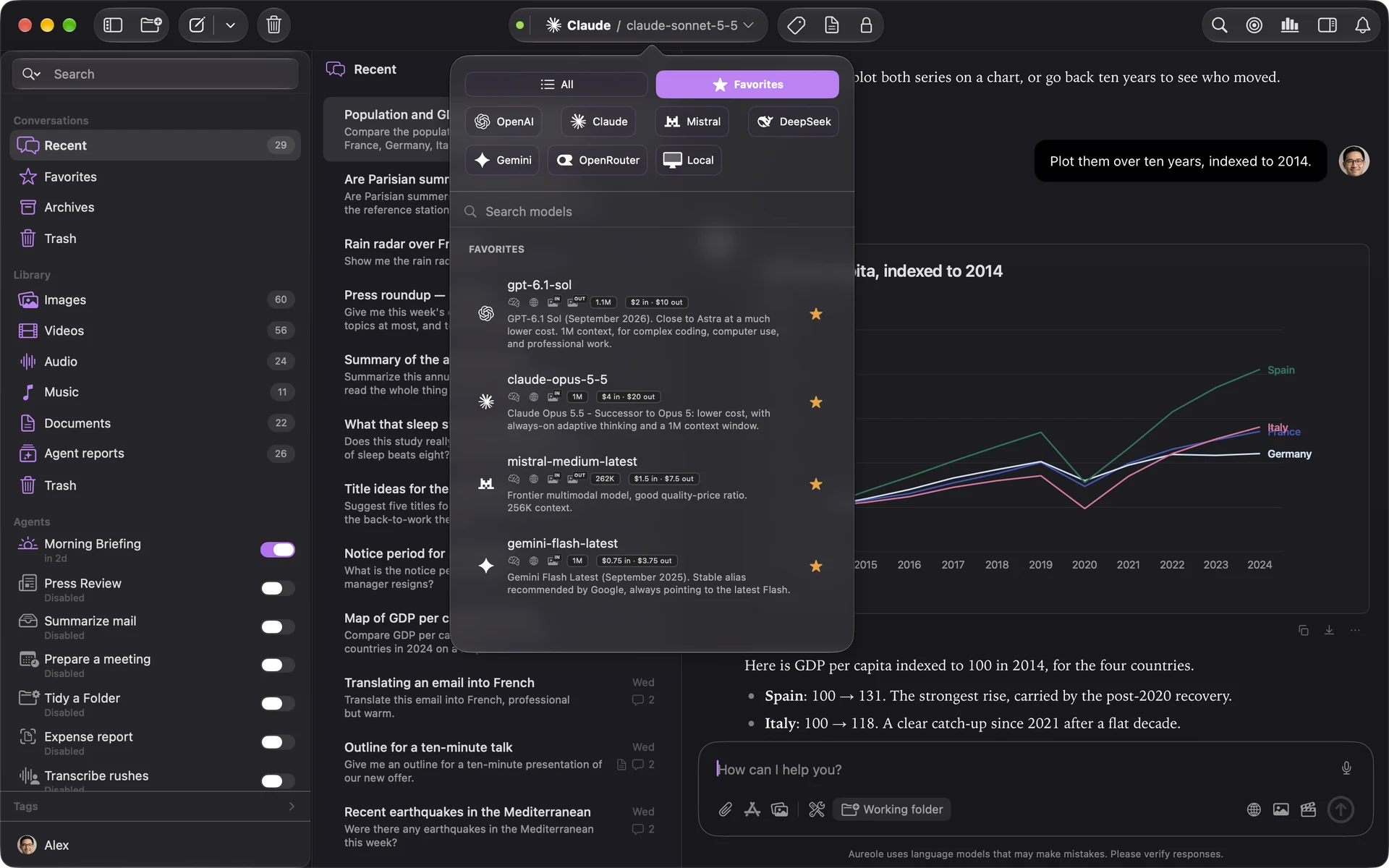
Favorites are the same in the window and in Aureole’s bar.
Advanced settings
At the bottom of the picker, “Advanced settings” adjusts the current model:
- “Temperature”: from “Predictable” to “Creative”; 0.7 at first;
- “Token Limit”: the maximum length of an answer;
- “Reasoning Effort Level”, for a model that thinks: more effort for difficult problems, less to go fast and spend less;
- depending on the model, other settings, like the “Verbosity” of GPT models.
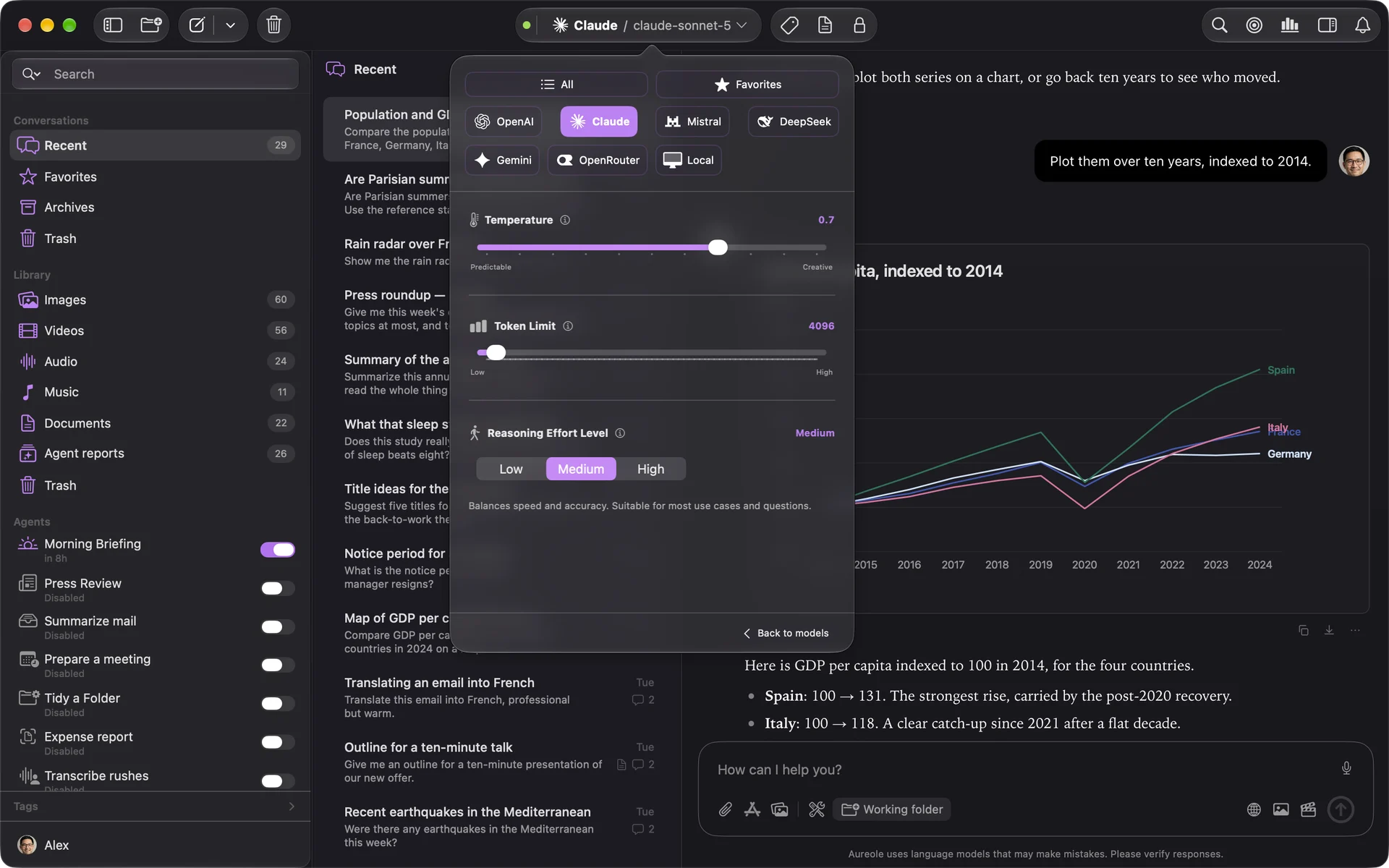
These settings apply to the conversation, and are kept with it. When you switch models, they adjust to what the new one accepts.
The model of new conversations
In Settings›General, the “Default LLM Configuration” section chooses the “Provider” and the “Model” of every new conversation:
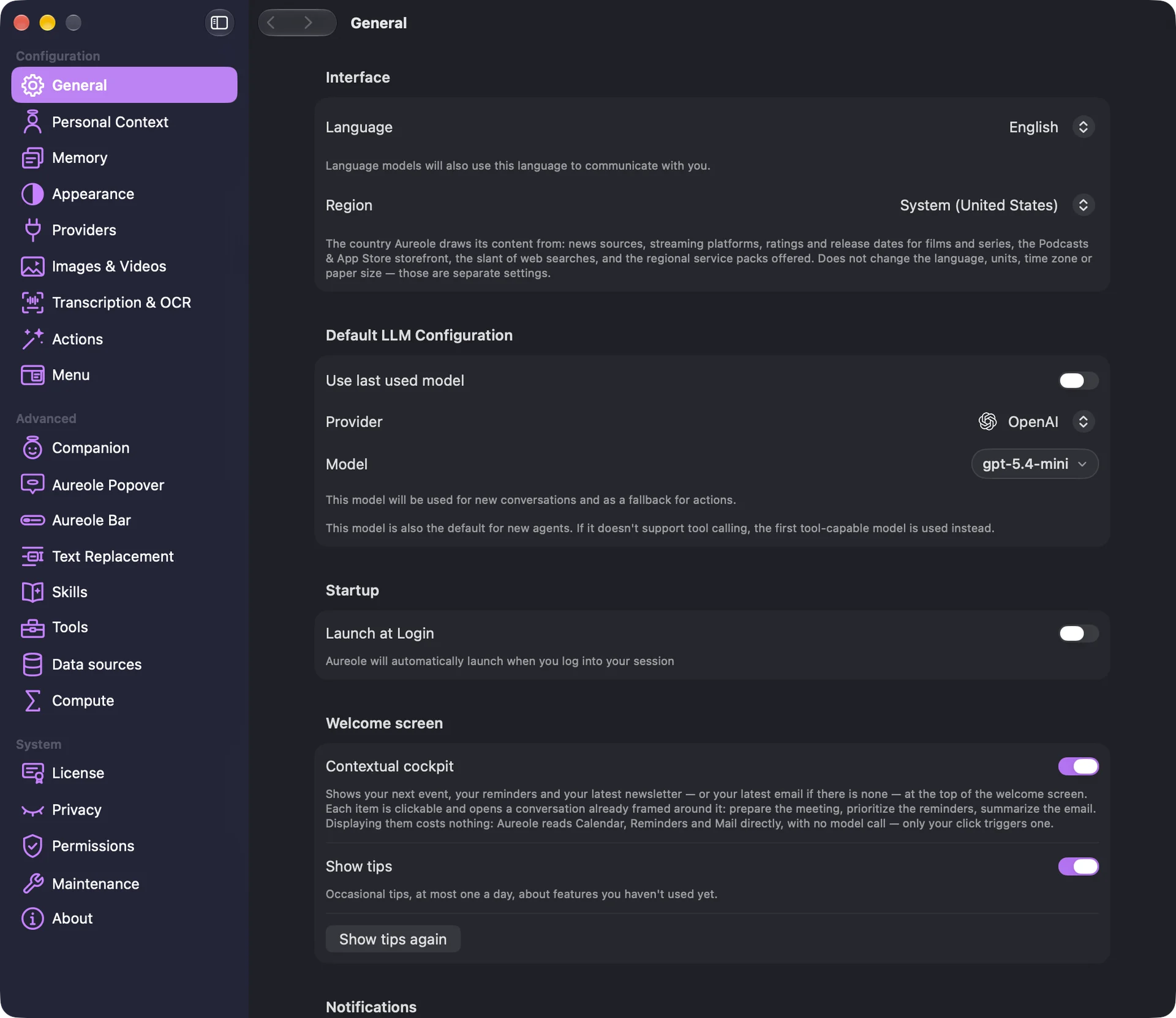
This model is also used by actions that have no other, and by new agents.
“Use last used model” instead reuses the last model chosen, for each new conversation and for actions that have no model of their own; it’s off at first.
An action’s model
An action can have its own model: a fast model to correct, a model that thinks to analyze. In Settings›Actions, choose the action, then its “Model Configuration” section:
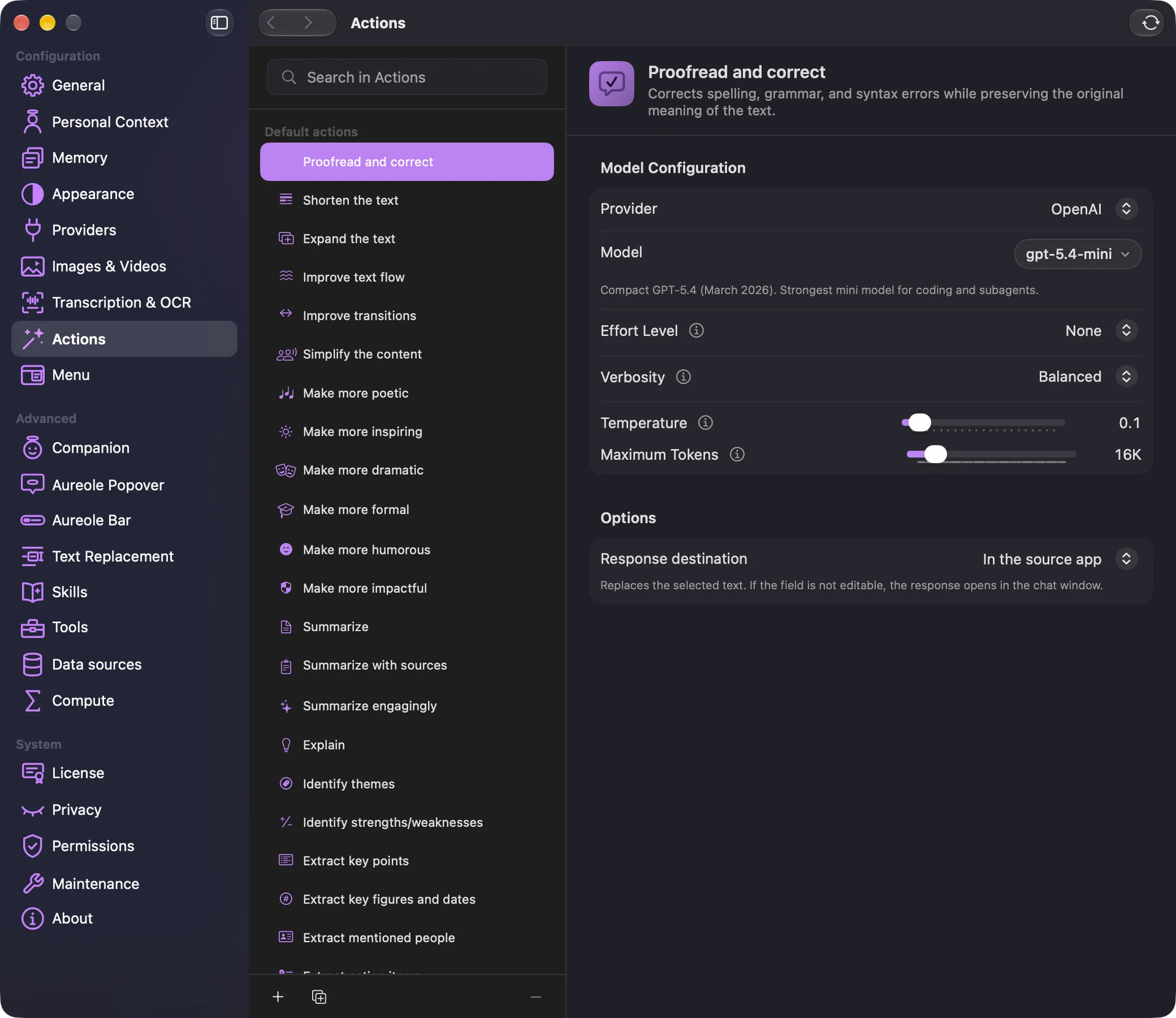
In Aureole’s bar, the model pill, on an action’s row, also changes its model: the choice is kept for next time.
“Restore Default Settings” gives the action back the default model.
If you’re stuck
I can’t find “Advanced settings”
The button only appears on the current model’s tab, or on “All”. Go back to one of them.
I can’t adjust the temperature
Some models that think have a fixed temperature: instead of the slider, Aureole shows its value, which can’t be changed.
A favorite has disappeared
Its key was removed, the model was hidden in the settings, or the provider retired it.
Aureole refuses a model
It’s no longer available from its provider, or it’s hidden in Settings›Providers. Aureole never picks another one for you: choose another one.
Something missing from this guide? Tell us.