 Aureole
Help center›Manage your license
Activate your license
Aureole can be tried for fourteen days, every feature open, no credit card. To keep going after that, a license, paid once: you receive its key by email, and you paste it into Aureole. This guide shows where, and how to read your license’s status.
- The simplest: the button in the “Your Aureole license” email, which opens Aureole with the key already pasted.
- Otherwise, “My Account…”, “Identity & License” pane, then “I already have a key…”.
- After the trial, the “Activate Aureole” screen offers “Activate a license”.
The trial
For fourteen days from the first launch, everything is open. Open “My Account…”, in the Aureole menu or by clicking your name at the bottom of the left column, then the “Identity & License” pane: the license card counts the days left:
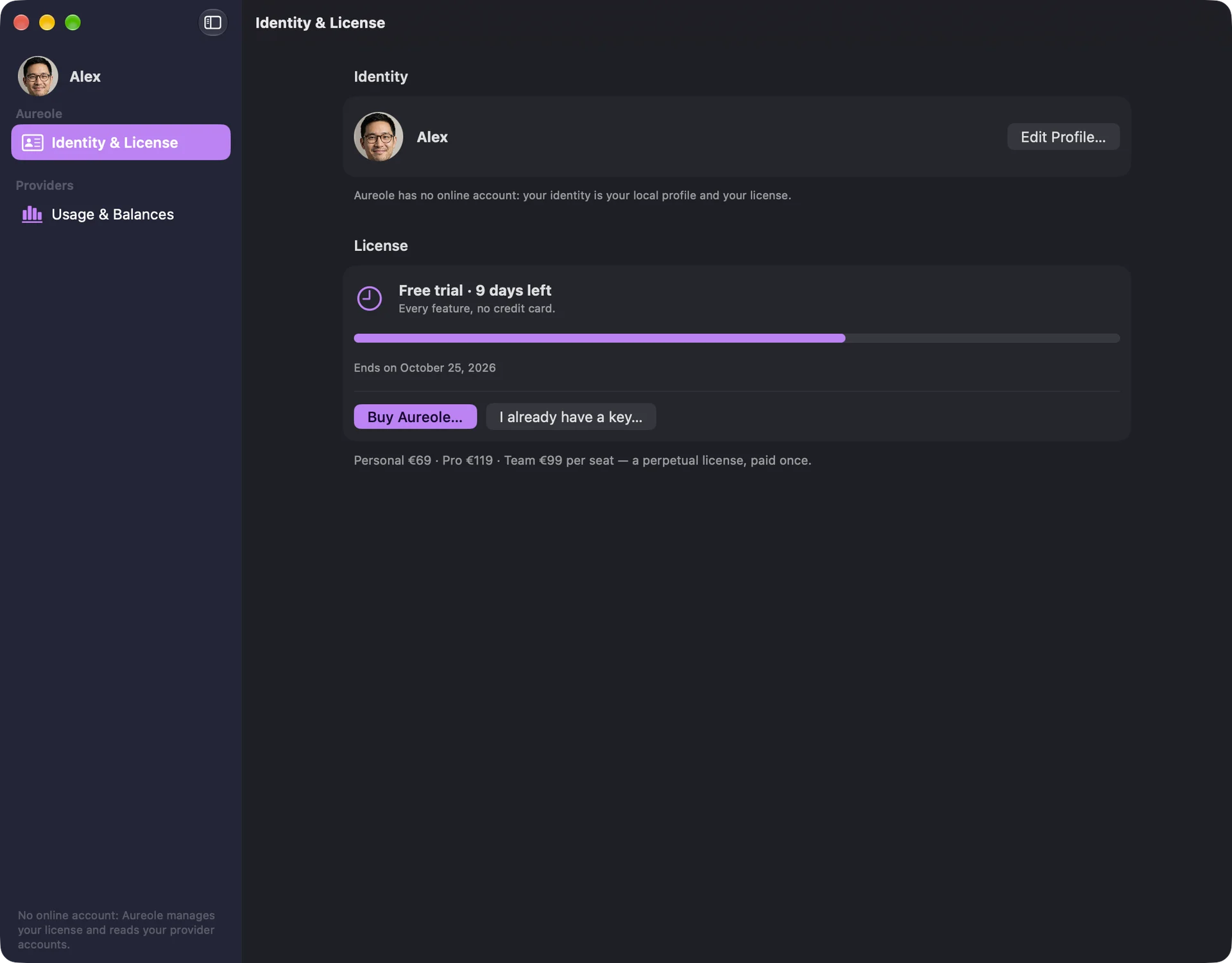
Three days before the end, a banner reminds you at the top of the window. At the end of the trial, Aureole stops on the “Activate Aureole” screen: your conversations and files are intact, waiting for your license.
Paste the key
After purchase, the “Your Aureole license” email contains your key, which starts with AUR1., and a button that opens Aureole with the key already in place. Without that button: “I already have a key…”, on the license card, or “Activate a license”, on the end-of-trial screen. Paste the key in full; line breaks from the email don’t matter:
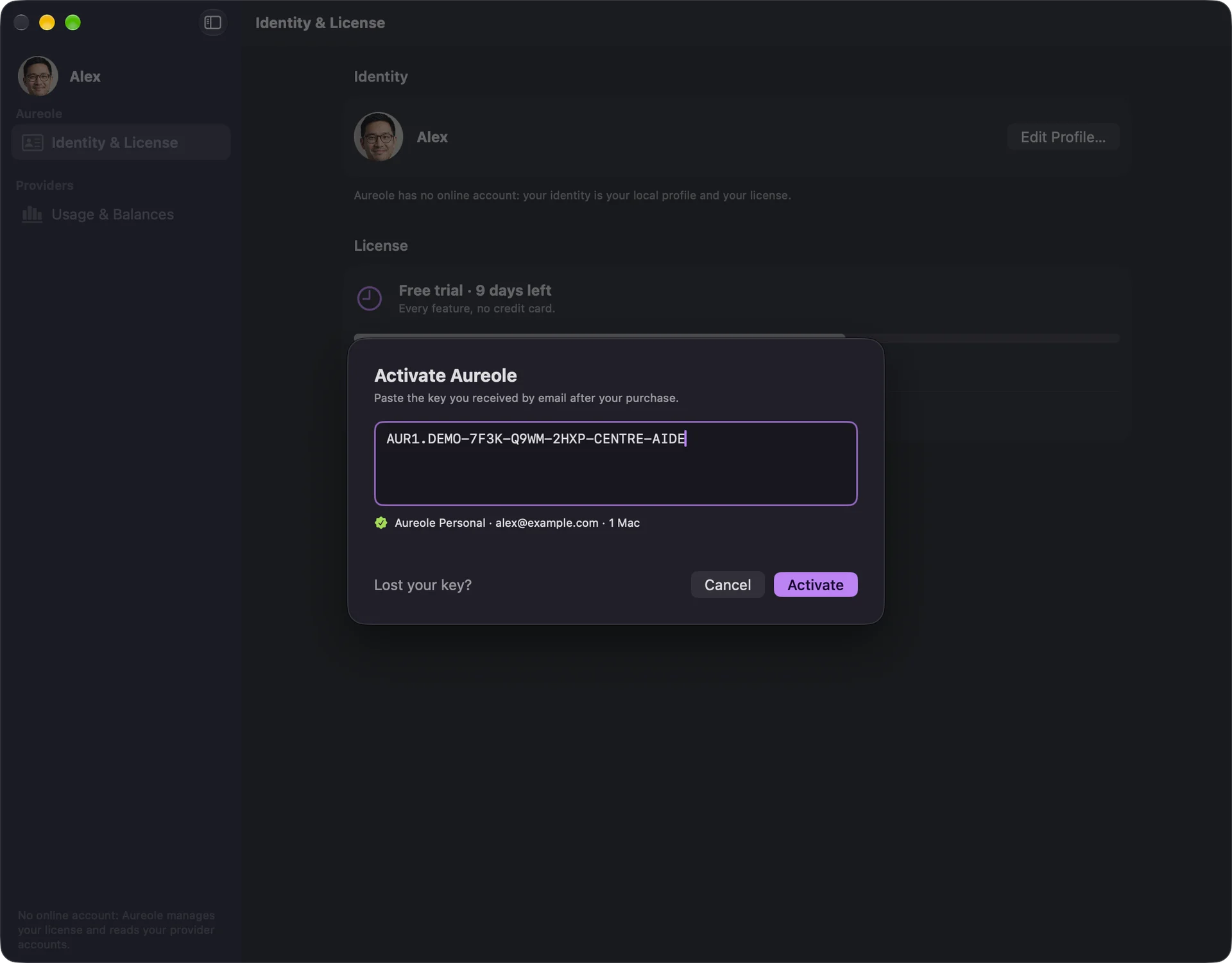
As soon as the key is recognized, Aureole shows the plan, the address and the number of Macs; “Activate” confirms it.
Your active license
The license card gives your plan, Personal, Pro or Team, its holder, the number of Macs, the date until which updates are included, and the key, hidden: the eye shows it, the other button copies it. “Receipts and invoices…” opens your receipts.
Aureole checks the license once a day. Offline, it stays active for seven days after the last check.
If you’re stuck
“Activate” stays greyed out
The key isn’t recognized: copy it again, in full, from the email; it starts with AUR1.
This license is already active on the maximum number of Macs
Deactivate it on another Mac first: see Move to a new Mac.
I lost my key
“Lost your key?” prepares an email to us: we find your purchase and send you the key again.
Something missing from this guide? Tell us.