 Aureole
Help center›Delegate to agents
Create an agent
An agent does a task for you, on demand or on its own: your morning briefing, a press review, preparing a meeting, a tidied folder. You describe it in one sentence, or you start from a template. This guide shows both, and how to set it afterwards.
- In the left column, under “Agents”, “New agent…”.
- Describe the task in one sentence: Aureole asks you a few questions, then creates the agent. Or start from a template.
- Its settings read like sentences: a click on a purple word changes it.
Describe the task, or start from a template
At the bottom of the “Agents” section, in the left column, “New agent…” opens creation:
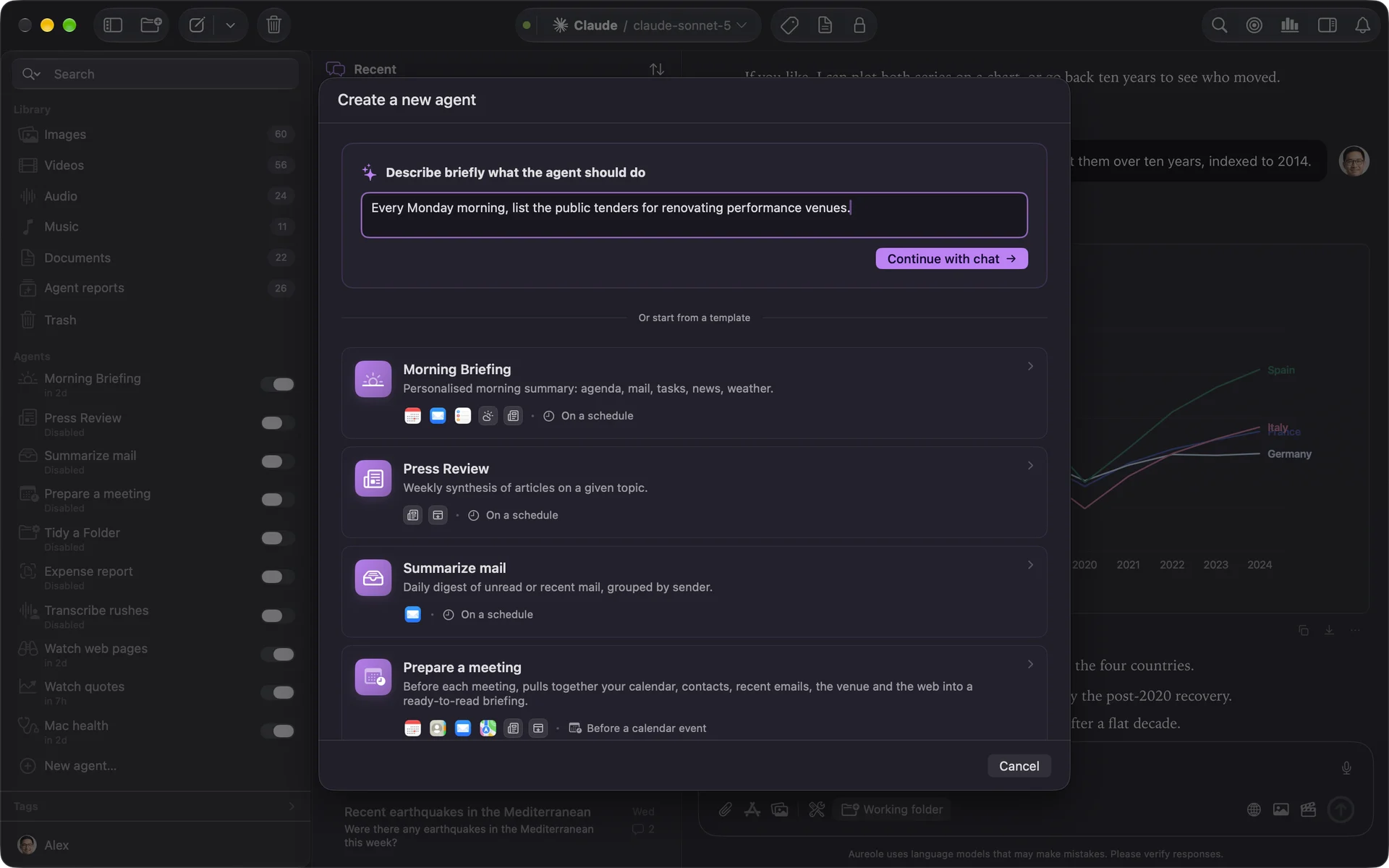
Describe what the agent should do, “morning press review on AI”, then “Continue with chat”: a conversation opens, Aureole asks you a few multiple-choice questions, then creates the agent and tells you what it still needs, a tool, a permission.
Or choose a template: “Morning Briefing”, “Press Review”, “Summarize mail”, “Prepare a meeting”, “Tidy a Folder”, “Expense report”, “Watch web pages”… Each comes with its usual trigger, which you change as you like.
“Press Review” reads “My newspapers”, the ones you chose in Settings›Data sources›Newspapers: with no newspaper chosen and no other source, it won’t run. In its sources, “Choose my newspapers…” takes you there.
Its settings, as sentences
An agent is set the way you’d talk to it: what it does, how, and what it gives back to you. Each purple word opens its setting: when it starts, the sources, the model it thinks with, the form of the report, and where you receive it:
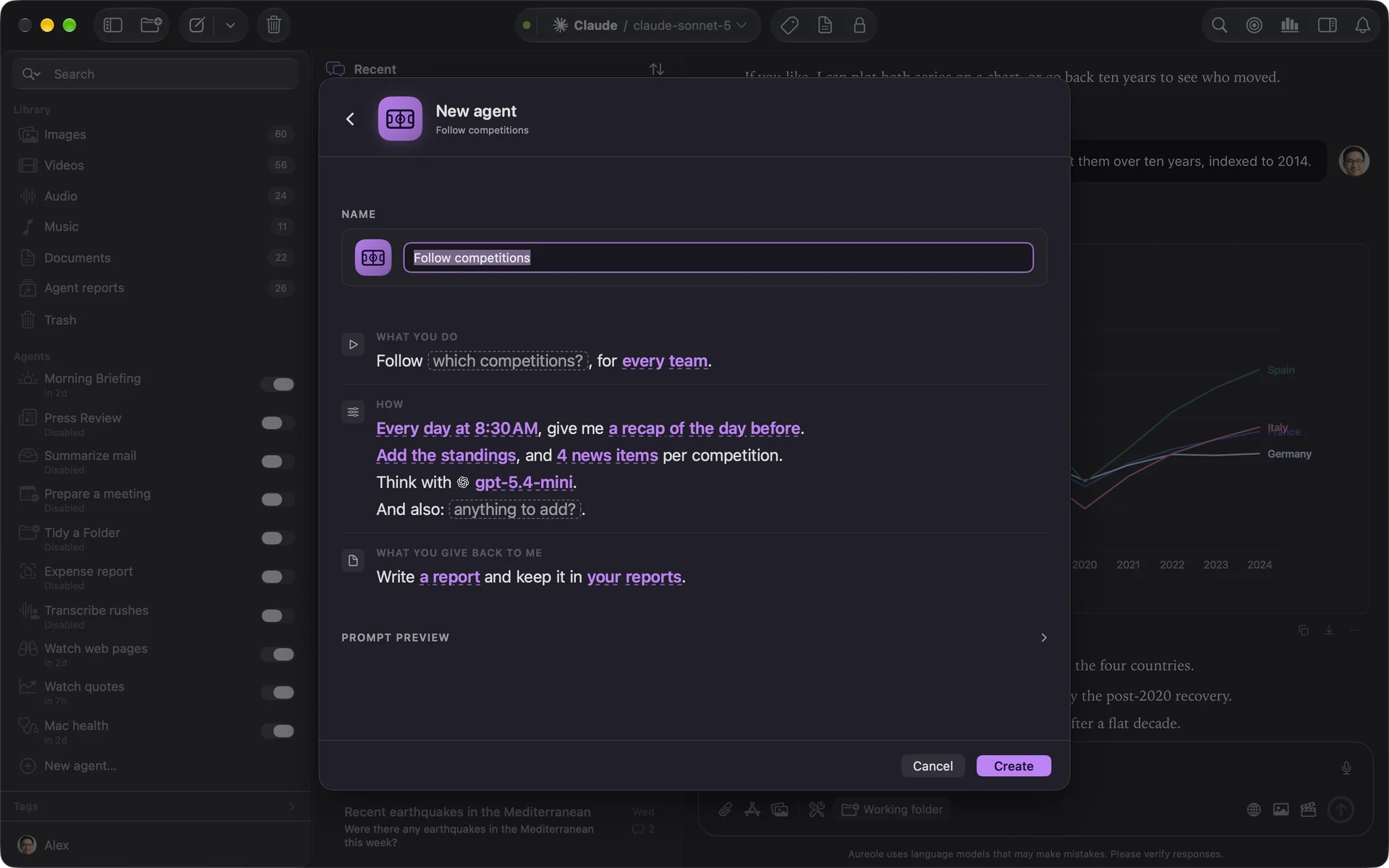
Give it a name, then “Create”. Aureole then asks for the macOS permissions it needs; without them, its automatic runs would fail.
Afterwards, the agent’s “Instructions” tab shows the same sentences: each change is saved at once.
An agent’s model
An agent uses tools: only models that can use them are offered. At first, it takes your default model, if it’s capable, and keeps it: changing the default model afterwards doesn’t change its own.
What it does without you
An agent started by hand asks for your consent like a conversation. Started on its own, nobody is there to answer: a tool set to “always ask” is then denied, and the report says so. Actions that delete are never offered to it by default. See “Decide what Aureole may do on its own”.
Rename, disable, delete
The switch, on the agent’s row, disables it: it no longer starts on its own, but can still be run by hand. The agent’s menu renames or deletes it; the reports it already produced are kept.
If you’re stuck
“Agent is pending”
A tool it needs is turned off: turn it on in Settings›Tools.
“Some permissions are missing”
macOS hasn’t given Aureole the access the agent needs: “Open Settings…”, then grant it in System Settings.
The model I want isn’t offered
It can’t use tools: an agent can’t use it.
Something missing from this guide? Tell us.