 Aureole
Help center›Connect your tools
Compute and draw charts
For an exact calculation, a statistic or a pivot table, Aureole writes a small Python program and runs it on your Mac, instead of computing in its head. This guide shows what it can compute, where charts come from, and how to add packages.
- Ask for a calculation, on your figures or on an attached file: Aureole does it in Python, on your Mac.
- Before running the program, it asks for your consent.
- Extra packages download the first time they’re needed; they’re managed in Settings›Compute.
What Aureole computes
Attach a table, Excel or CSV, or give your figures, and ask: “what’s the average per month?”, “make a pivot table by region”. Aureole writes the program, puts it to you, then runs it; the result comes back in the answer.
The program runs apart, with no access to the Internet or to your files, except those you attached to the conversation. It’s stopped after thirty seconds, five minutes at most for a long calculation.
Charts
From the result, Aureole draws a chart in the conversation, which you can hover over; a line underneath says it was calculated on this Mac with Python:
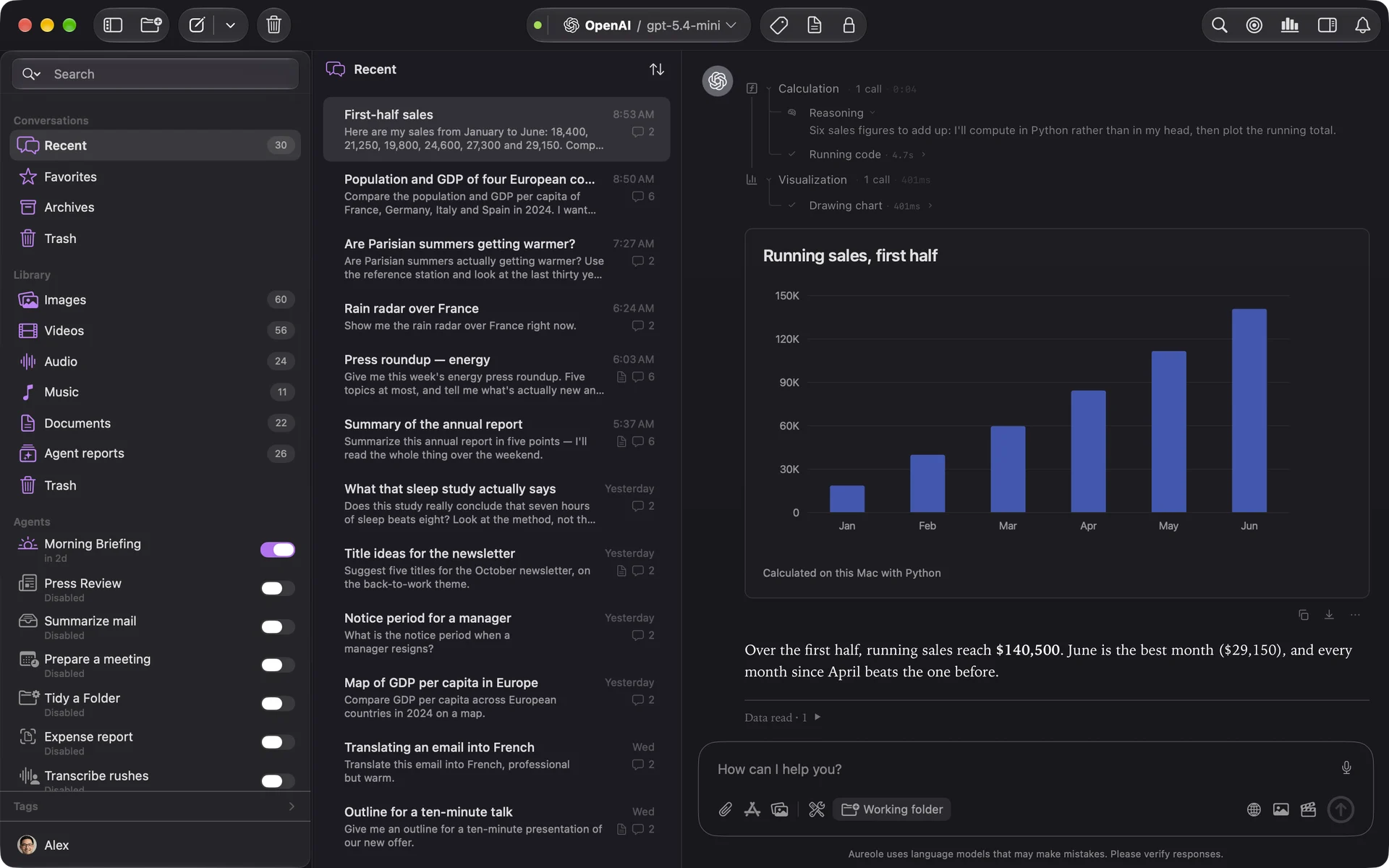
It can be copied or saved like any widget: see “Read and export widgets”. Files the program produces, an image, an Excel sheet, a Word document, are filed in the Library.
Packages
Python comes with Aureole, with pandas and numpy: nothing to install. Other packages download the first time a calculation needs them, in groups: science and statistics, machine learning, images, figures, geography… In Settings›Compute:
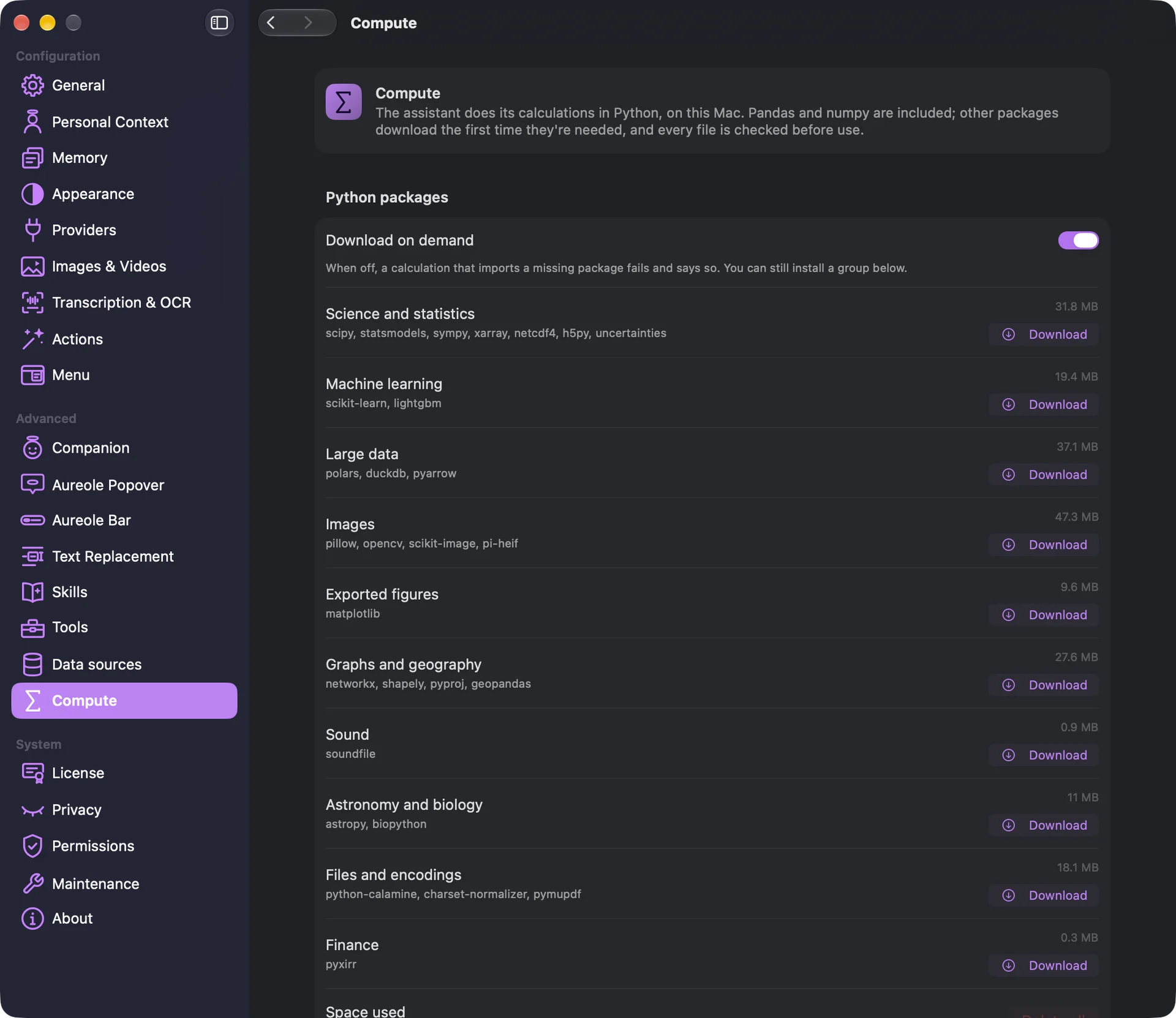
“Download on demand”, on at first, lets Aureole fetch them by itself; when off, a calculation that lacks one fails and says so, and you can install a group in advance. Every file is checked before use. Only the packages in these groups are available.
If you’re stuck
The calculation was stopped
It ran out of time. Ask for a simpler calculation, or on less data; the model can also ask for more time, up to five minutes.
A package won’t download
Your network may block the package host. In Settings›Compute, point Aureole at a mirror in “Package host”.
The program can’t find my file
It only sees files attached or read in the conversation: attach it.
Something missing from this guide? Tell us.