 Aureole
Help center›Connect your tools
Add a skill
A skill teaches Aureole a way of working: write minutes your way, follow a procedure, use your document templates. It’s a folder, with a SKILL.md file that says when to use it and how. This guide shows how to import it, how to write it, and what Aureole does with it.
- In Settings›Skills, the button imports a folder that contains a SKILL.md.
- Aureole reads each skill’s name and description, and loads the rest when it’s needed.
- The folder is copied: edit the copy, and Aureole reloads it by itself.
Import a skill
In Settings›Skills, click the button, at the bottom of the list, and choose the skill’s folder. Aureole copies it, turns it on, and shows it:
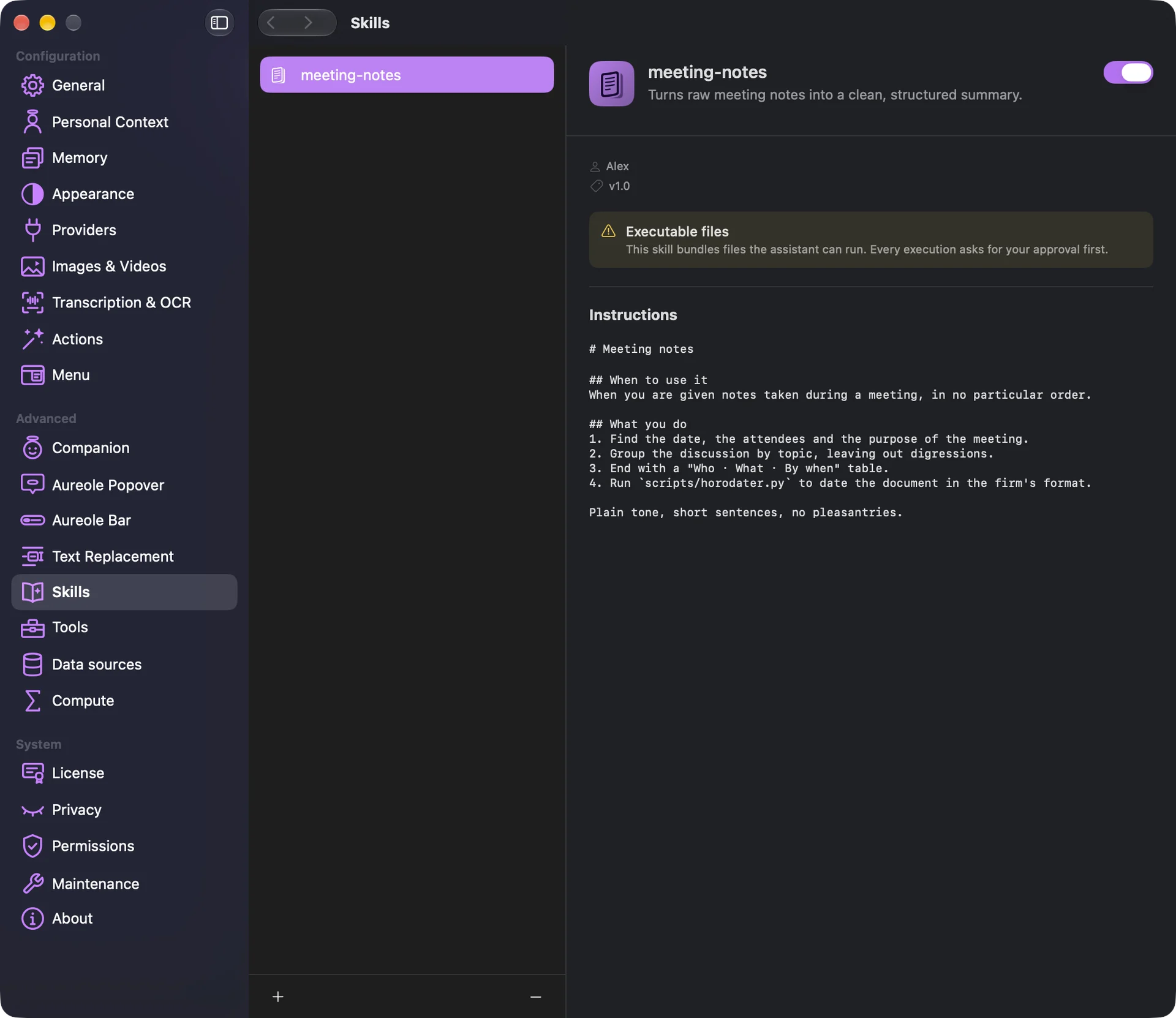
The switch, at the top, turns it on or off for all your conversations. The button, at the bottom of the list, deletes it, with its files.
Write a SKILL.md
The file starts with a header, between two lines of three dashes, then come the instructions, in Markdown:
- name: the skill’s name, in lowercase letters, digits and hyphens, 64 characters at most;
- description: what it does and when to use it, on a single line, 1,024 characters at most: it’s what the model reads to decide;
- optional: version, author, and tags, a list of words.
The folder can hold other files: examples, templates, scripts.
How Aureole uses it
With every message, the model sees the name and description of your skills that are on; when one fits, it loads it, and follows its instructions until the end of the conversation. You can also ask: “use the minutes skill”.
A tag equal to an attached file’s type, like pdf or docx, or to the name of an app Aureole drives, like excel or mail, loads the skill by itself when that file or app is involved.
A skill’s scripts. Nothing runs at import. A skill that contains scripts says so in a box, and every run is put to you before it goes.
If you’re stuck
No SKILL.md found in the folder
Choose the folder that directly contains the SKILL.md, not its parent folder.
Missing required field, or invalid SKILL.md format
The header must start on the first line with three dashes, close with three dashes, and contain name and description. The name only takes lowercase letters, digits and single hyphens.
My skill’s description shows as “>”
Write it on a single line, without the > or | signs: Aureole doesn’t read descriptions on several lines.
A skill with this folder name already exists
Rename the folder before importing it, or delete the old skill.
Something missing from this guide? Tell us.